Cloud Computing
This service will allow you to run AI-models in the cloud, straight from the ScanXm desktop application.
Access is available through an account with pay-as-you-go billing at £1 per hour.
How It Works
1. Start Cloud Server
Click the "Start Cloud Server" button to launch a dedicated, private and secure GPU cloud computing server.
You only pay for the time your pod is active at a rate of £1 per hour. Top up your balance to ensure uninterrupted access. The server will automatically shut down after 30 minutes of inactivity.
For details on the cloud architecture see below.
2. Connect ScanXm
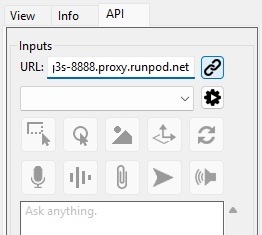
Once the server is running, paste the provided URL into the URL field of the API tab in ScanXm and press the connect button.
3. Run AI Model
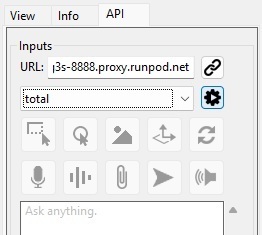
Select a model from the dropdown menu. Press the run button to run the model.
See the Instructions for details on the button functionalities.
Available Models
Large Language Models
Text To Speech
Speech To Text
TotalSegmentator
MuscleMap
Interactive Segmentation Models
VISTA-3D
MONAI
MOOSE
Cloud Architecture
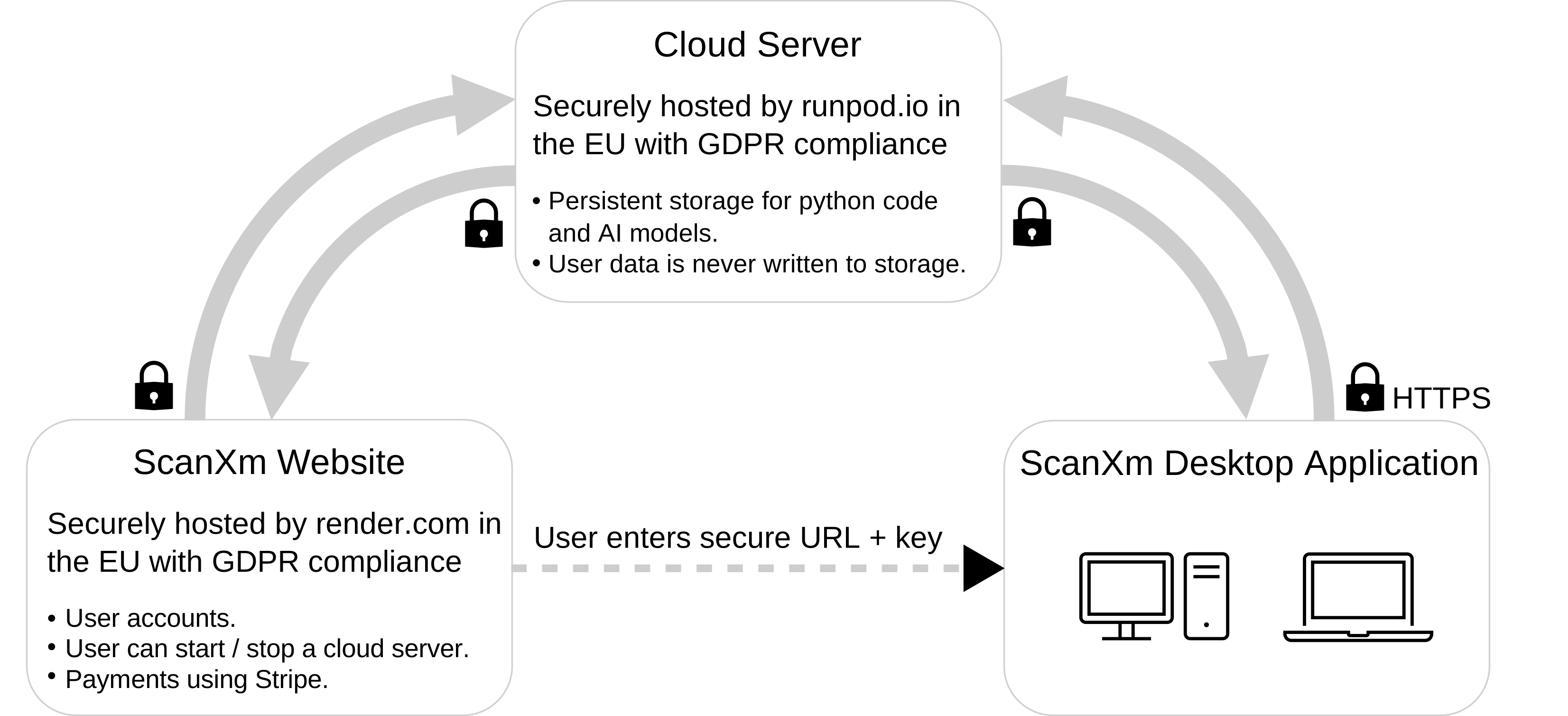
ScanXm users can launch a private cloud server with a GPU from the ScanXm website hosted on Render. This creates a dedicated cloud server hosted by RunPod in a GDPR-compliant cloud environment within the EU. A URL to the server, containing a private key, is displayed on the ScanXm website and can be entered into the ScanXm desktop application. When connecting to the server, a list of available models is returned and displayed in the ScanXm desktop application. Upon execution of the selected model, the application sends only the raw pixel or voxel data from the images, videos, or volumes (no DICOM metadata), along with any prompts, manually attached files, or subsequent user inputs. To ensure privacy, all transmitted data is held strictly in temporary memory only during processing. Once processing is complete, the results are returned to ScanXm. All communication is sent over HTTPS. Data is never written to persistent storage and is deleted when the server is stopped. The cloud server can be started and stopped at any time via the website, with billing processed through Stripe.
Disclaimer
ScanXm is not a medical device and should not be used for diagnosis or treatment planning.